
How to Submit Form Videos
Feel confident in your training, one rep at a time.
Why Form Checks Matter
Train with confidence – know exactly how each movement should look and feel.
Prevent injuries – proper form keeps you safe while getting results.
Refer back easily – all your tutorials are in one place, so no digging through messages. Feedback stays with the exercise
Stay consistent – following the guide makes your progress and feedback more accurate.
during your workout
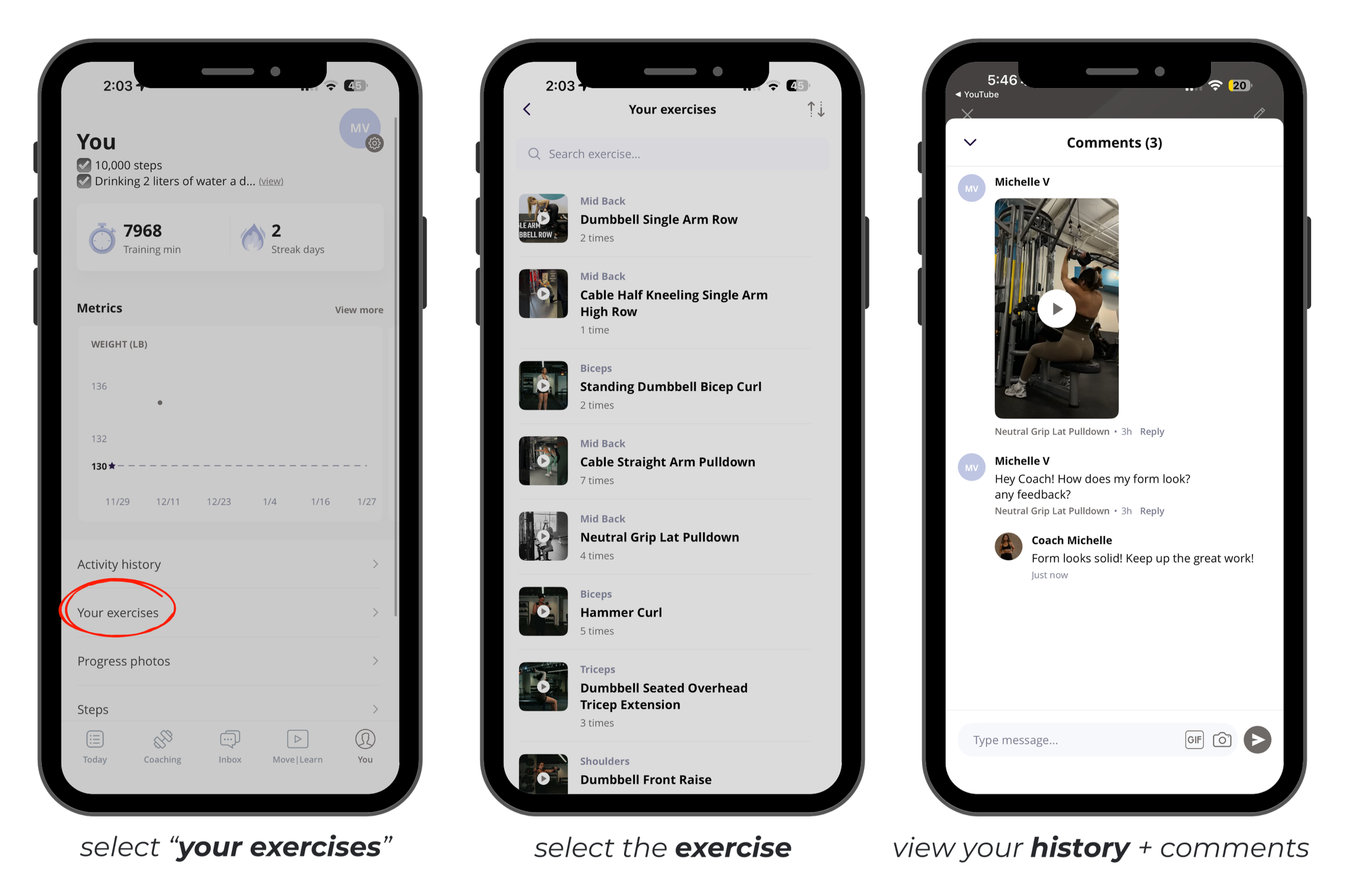
where to find your videos & feedback
FAQ
-
The purpose of sending a form video is to check your form. Submit one if you have a question or want feedback.
If we’ve already cleared your form, you don’t have to send videos every week. You can record for yourself to track progress, especially when increasing weight or reps, but sending it to me isn’t required unless you need feedback.
-
Unfortunately, the platform can’t upload large files yet. The best way is to record directly in the app — it always sends successfully that way! You can try uploading a file from outside the app, and sometimes it works, but recording in-app is the safest bet.
-
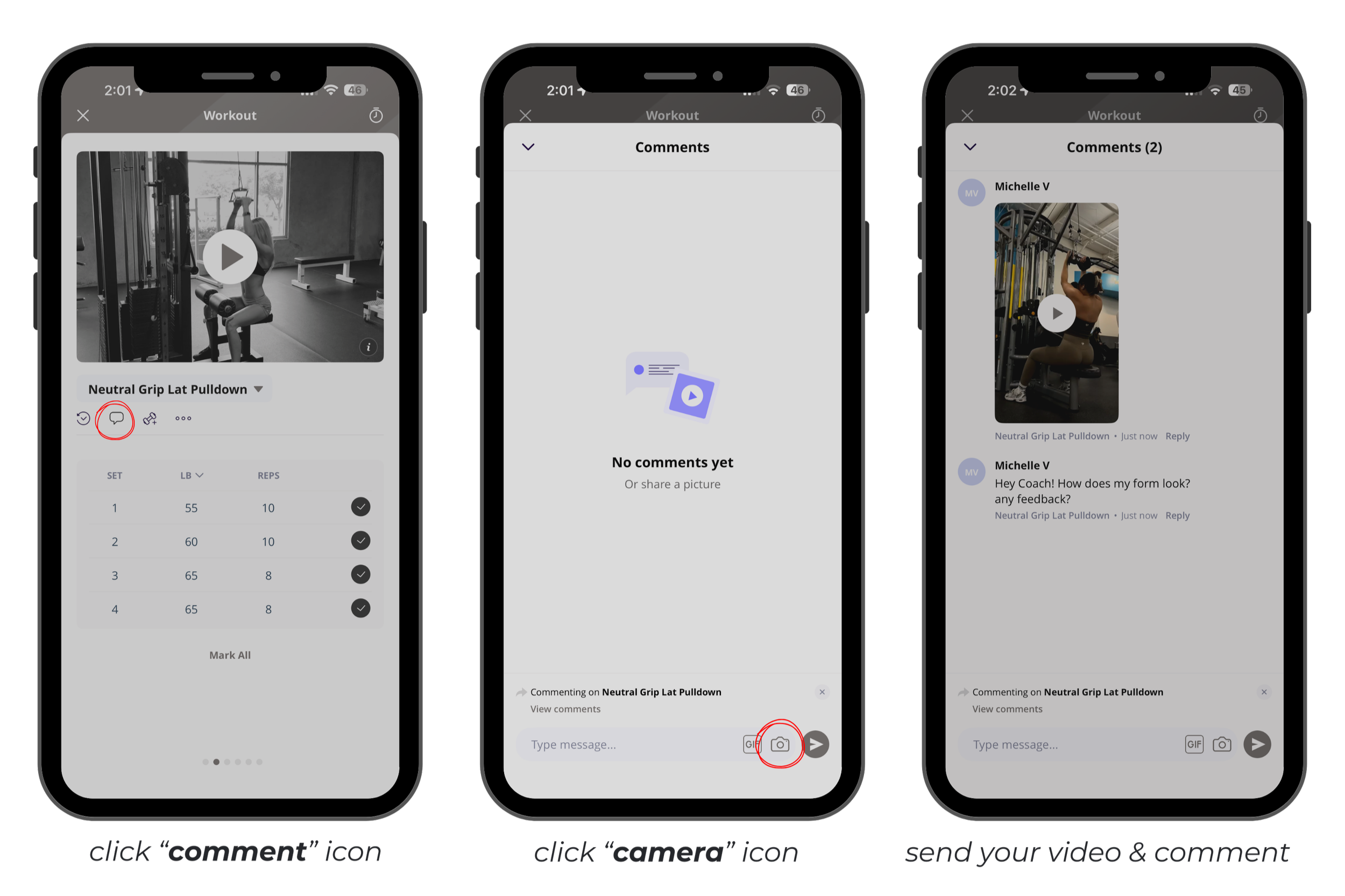
While on the specific exercise:
Tap the comment icon
Tap the camera icon
Select camera to record directly from the app
-
Keeping videos in exercise comments ensures all workouts and feedback are organized in one place. You can view them in your exercise history under the You tab.
-
Check comments as they come in for each exercise. If no new feedback is added, you can continue your program without sending more videos for that exercise.
-
Yes! Just make sure each video is attached to the correct exercise so your form feedback stays organized.